Collaboration Pricing and Software Cost Guide for 2026
Collaboration platforms serve as the backbone of a cohesive digital workspace, empowering teams with communication, project oversight, and real-time co-authoring. By centralizing data and resources, they dismantle silos and enhance organizational transparency. Advanced capabilities such as integrated video meetings and persistent messaging make them essential for cultivating alignment and efficiency. Collaboration software is vital for distributed and remote teams, enabling them to share resources and communicate seamlessly. The right platform enhances productivity, supports project management, and ensures consistent output across geographies. Pricing typically starts from $5 per user per month and goes up to $30 per month per user for large enterprises. Discover the pricing of the leading collaboration solutions through this Collaboration Pricing and Software Cost Guide.
Publisher Note: Software pricing can change frequently. We quote a few publicly available pricing editions in this article, and those are accurate at the time of publication. We’ve linked each product’s pricing page below so you can check for any recent updates.
How Much Does Collaboration Software Cost?
The cost of collaboration software can differ greatly. Basic plans are often free, while standard packages range from $5 to more than $25 per user each month. Enterprise-grade solutions may run into the hundreds or thousands, depending on customization. Pricing is shaped by the features included, such as file sharing, chat, and video, along with team size and the level of customization, with enterprise options adding robust security and reporting.
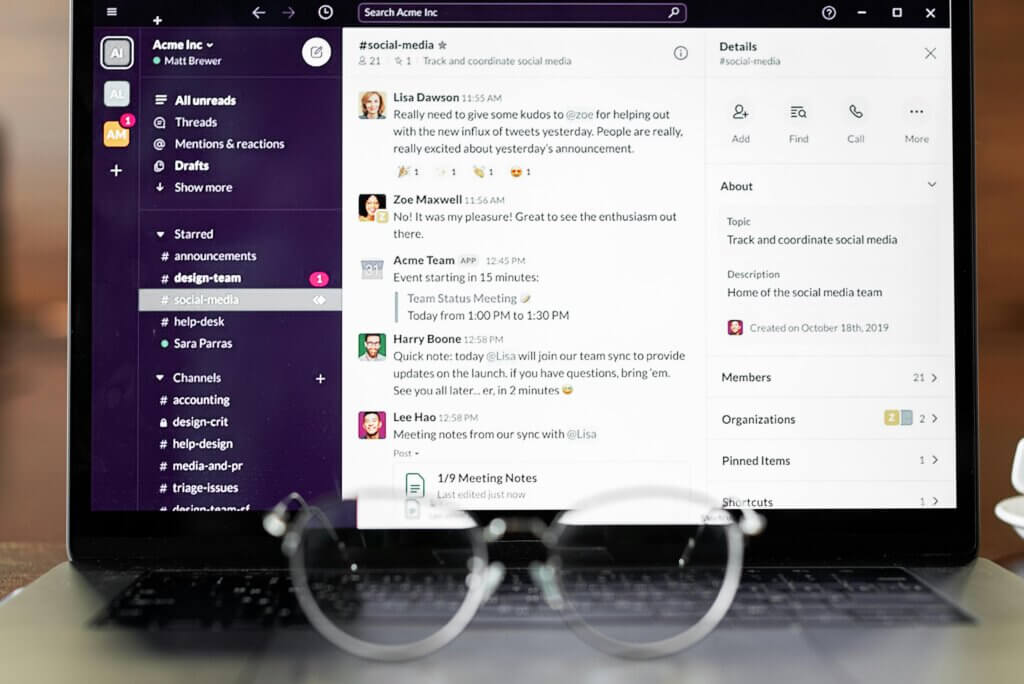
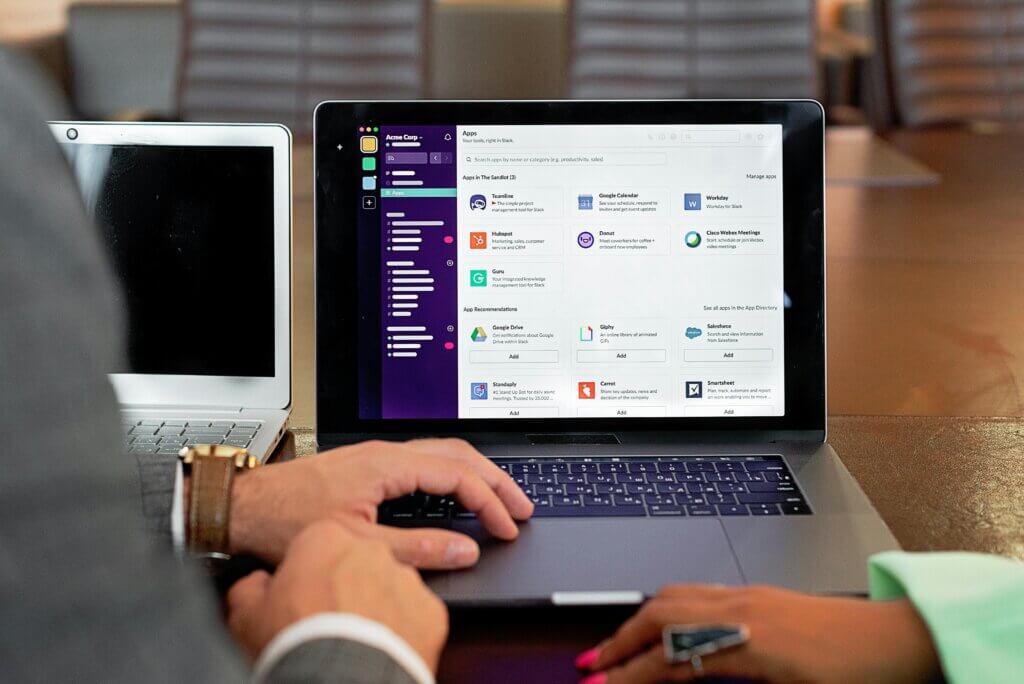
“We use Slack for the majority of our asynchronous work-related communication. This includes asking questions for feature development, project management, prioritization, managing customers and business, and more. We use a lot of the integrations as well, like Zoom, Google Calendar, Notion, and Forkable, to integrate with the other tools that we use. Slack helps us to have open communication, keep a history of important conversations, track issues and resolutions, and support each other in debugging. We also have external channels with some of our customers or technical partners for coordination. We typically use Slack for any internal communication, and then we’ll use email for corresponding with people outside of the company.”
Read Kelsey’s full review here.
“We currently use Webex for large town hall meetings where we stream communications between management to field workers. We also use it in our meeting rooms where we use smart boards integrated with Webex for collaboration with team members onsite and remote. The scope of our use case is to support remote collaborations from a small to large scale.”
Read Ethan’s full review here.
Understanding Collaboration Software Pricing Models
- Per-User Basis: A fixed fee for each user valued for its predictability.
- Tiered Pricing: Packages such as Basic, Pro, and Enterprise scale features and costs to fit different business needs.
- Usage-Based: Charges align with actual consumption, like storage, API calls, or active users, to offer flexibility.
- Freemium: Free entry-level access with core features, encouraging upgrades to paid plans for advanced functionality.
- Flat-Rate Pricing: A single price for unlimited access to all features; simple but less common in complex B2B tools.
Collaboration Software Pricing Plans at a Glance
|
Company |
Free Plan |
Entry-Level Plan |
Mid-Level Plan |
High-Level Plan |
|
Free Trial |
$10 on cloud per month per user |
$19 on cloud per month per user |
Custom Enterprise |
|
|
Free Trial |
$12 on Cloud per month per user |
$14 on Cloud per month per user |
$24 on Cloud per month per user |
|
|
Free Trial |
Free |
$12 on Cloud per month per user |
$24 on Cloud per month per user |
|
|
Free Trial |
Free |
$7.25 on Cloud per month per user |
$12.50 on Cloud per month per user |
|
|
Free Trial |
Free |
$6.40 on Cloud per month per user |
$12.30 on Cloud per month per user |
|
|
Free Trial |
Free |
$8 on Cloud per month (billed annually) per user |
$16 on Cloud per month (billed annually) per user |
Collaboration Software Pricing: Factors to Consider
Determining the cost of collaboration software requires a holistic view. Key variables include user volume, functional scope (task management, storage, integrations), support tiers, and deployment strategy (cloud or on-premise). Complexity, security demands, and ancillary expenses, such as add-ons or training, must also be weighed. Value is best assessed against organizational priorities and budget constraints. While per-user-per-month pricing dominates, usage-based and tiered structures can introduce scalability aligned with workforce growth.
When budgeting for collaboration software, keep these factors in mind:
- User Count: With more users, the cost increases, unless tiered pricing lowers per-user fees at scale.
- Features: Basic chat and file sharing are affordable; advanced tools like analytics or automation raise the price.
- Integrations: Linking to CRMs or HR systems may involve extra charges.
- Support: Premium support, 24/7 help desks, or onboarding programs can add to the bill.
- Security: Compliance with standards like HIPAA or GDPR requires enterprise-grade protections, which cost more.
- Storage: Generous or unlimited cloud storage is rarely free.
- Deployment: SaaS is subscription-based, while on-premise often means higher upfront costs.
Collaboration Software Software Cost for Small Businesses
Collaboration software for small businesses generally starts from free or $5 per user per month. Entry-level plans often include core features such as chat and file sharing, with some free options available. Final pricing depends on user count, required functionality, and whether you select a comprehensive suite or a specialized tool.
Key Collaboration Software pricing considerations for small businesses include:
- Billing Cycle Flexibility: Monthly billing offers flexibility but typically costs more than annual plans, which often include discounts.
- Scalability: A solution with expanding capability with the business ensures transparency and cost-effectiveness.
- Pricing Model: The price of the software determines whether it can be deployed in a small business.
Collaboration Software Pricing for Small Businesses
We have chosen the top three collaboration software for small businesses based on user feedback. We considered factors like affordability, basic functionality, ease of use, and scalability when selecting these products.
- ClickUp: ClickUp brings all your work apps, data, and workflows into one place. Marketed as a Converged AI workspace, it cuts through the clutter of scattered tools, giving teams and AI agents a single, connected space to work together more efficiently. The starting price of the software is $10 on the cloud per month per user.
- monday.com: monday.com is an open platform that empowers users to design the tools they need to manage every aspect of their work. Its intuitive visual interface offers building blocks such as apps and integrations, enabling teams to create or customize solutions tailored to their workflows. The starting price of the software is $12 on the Cloud per month per user.
- Notion: Notion consolidates everyday work tools into a single platform. Common use cases include product roadmaps, company wikis, and meeting notes, all customizable to fit any workflow. Designed as a workspace for teams or entire organizations, Notion empowers users to shape tools around their specific needs. The basic plan is free for the software.
What TrustRadius Reviewers Have to Say About Small Business Collaboration Software Costs
“I use ClickUp daily in my workflows. It helps me keep track of my content flows, tasks across my department, plan quarterly tasks, and communicate with complex tasks across my team.”
Read the full review here.
“We are a solar company, and we have 30+ employees. We use monday.com every day, and it is an amazing CRM. Solar is a complex business with lots of moving parts. There are many phases to solar, so we need to address every step, and we can manage the entire project from start to finish with monday.com. We can track everyone, and all employees are trained to deal with the progress of every customer on monday.com. We have a running “joke” at the company: “If it isn’t on Monday, it doesn’t exist.” A good marketing slogan for your business!”
Read the full review here.
Cost of Collaboration Software for Mid-Sized Businesses
For mid-sized businesses, collaboration software usually starts at around $5 to $7 per user each month. Simple tools for task management start lower. Higher costs are for advanced features like enterprise project management or HR integrations, with some platforms offering tailored enterprise pricing.
Key Collaboration Software pricing considerations for medium-sized businesses include:
- Integration: Integrating new software with existing systems, such as CRM or accounting platforms, can generate high costs. These may stem from the time, labor, and technical resources required. In some cases, custom connectors or API development will be necessary, further increasing expenses.
- Training: Employees must adjust to new interfaces and workflows, which requires both time and investment. Direct costs include training sessions and materials, while indirect costs arise from reduced productivity during the learning curve.
- Maintenance: Ongoing support and maintenance should be carefully evaluated. Vendor support packages often carry additional fees, and relying exclusively on internal IT teams for troubleshooting can consume valuable time and resources.
Collaboration Software Pricing for Medium-Sized Businesses
We have chosen the top three collaboration software for medium-sized businesses based on user feedback. We considered factors like affordability, basic functionality, ease of use, and scalability when selecting these products.
- Slack: Slack is a team collaboration and messaging platform designed to streamline business communication. It enables open discussions, private group conversations, and direct messaging, while also offering advanced features such as contextual search, message archiving, and file sharing. Together, these capabilities help organizations improve transparency, reduce email clutter, and foster more efficient teamwork. The basic plan for the software is free.
- Confluence: Confluence is a collaboration and content-sharing platform developed by Atlassian, designed to complement its Jira project tracking tool. It is widely adopted by organizations already leveraging Jira, making it a natural extension for project documentation and knowledge management. The platform is especially popular among IT teams, who use it to centralize information, streamline communication, and improve visibility across projects. The basic plan is free for the software.
- Webex: The Webex App unifies calling, meetings, and messaging into one seamless platform. By consolidating these core collaboration tools, it enables teams to connect more effectively, streamline communication, and unlock new levels of productivity. The basic plan of the software is free.
“Each and every member of the company gets a Slack account on their first day, and we use it for all internal messaging and ad-hoc calls. It means that in this working-from-home age, everyone is simply a message or call away, and everything is logged, which is crucial to our business’s day operations. It allows for cross-collaboration between departments, which would otherwise be made difficult without Slack.”
Read the full review here.
“While working in my organisation, this service is used for meetings with clients and senior officials. By using this service, we share the screen so that others can see as well.”
Read the full review here.
High-Level Collaboration Software Pricing for Enterprise Businesses
The starting price for enterprise collaboration platforms generally ranges between $8 to $10 per user per month. However, many advanced, enterprise-grade solutions move beyond fixed tiers and instead adopt custom pricing models. These models are tailored to an organization’s unique requirements, factoring in the number of users, desired features, and overall scope of deployment.
Key Collaboration Software pricing considerations for enterprise businesses include:
- Hidden Costs: When evaluating collaboration software, it’s important to look beyond the monthly subscription fee. Additional expenses may include implementation, onboarding, and training, dedicated support, and potential charges for added storage or scope changes. These hidden costs can significantly impact the total cost of ownership.
- Functionality: The true value of a solution lies in how well it meets functional requirements. Choosing a lower-cost tool that demands extensive workarounds may ultimately reduce efficiency and increase long-term expenses, making it less cost-effective despite its lower price point.
- Support: Enterprise-level agreements often provide dedicated account management and service level commitments. These elements are critical for ensuring business continuity and should be factored into the overall pricing evaluation.
Collaboration Software Pricing for Enterprise Businesses
We have chosen the top three collaboration software for enterprise businesses based on user feedback. We considered factors like affordability, basic functionality, ease of use, and scalability when selecting these products.
- Miro: With Miro, cross-functional teams progress effortlessly from initial exploration to finished outcomes on a shared, AI-first canvas. The canvas itself becomes the catalyst, as Miro’s AI keeps momentum high and accelerates shifts in how teams collaborate. The basic plan of the software is free.
- Adobe Workfront: Adobe Workfront delivers end-to-end work management, combining project and portfolio oversight, marketing resource allocation, and task execution. It supports diverse work types with automation, performance management, seamless integrations, and structured review and approval processes, ensuring collaboration throughout the entire work lifecycle.
- Atlassian Jira: Atlassian Jira is a project management tool, featuring an interactive timeline for mapping work items, dependencies, and releases, Scrum boards for agile teams, and out-of-the-box reports and dashboards. The starting price of the software is $9 on the Cloud per month per user.
What TrustRadius Reviewers Have to Say About Enterprise Collaboration Software Costs
“Adobe Workfront is our main center for managing all of our print marketing materials! Our coordinators will set up info docs in Adobe Workfront for us designers to get the scope of our project and everything else. We can share our project with buyers and get the input.”
Read Philip’s full review here.
“JIRA is used in my organization for project management, to keep track of issues and tasks, and to streamline/improve communications between developers, QA engineers, and different teams. The scope of our use case covers product management, meeting and tracking deadlines for different projects, tasks, and sub-tasks. I have helped my organization improve overall productivity.”
Read Kanishka’s full review here.
Collaboration Software Frequently Asked Questions
What is collaboration software?
Collaboration software brings together communication, task management, and resource sharing into one platform. By streamlining workflows, it enables organizations to improve efficiency, foster alignment, and adapt to the demands of distributed teams.
How does collaboration software help remote teams?
By acting as a digital headquarters, collaboration software connects dispersed teams in a single workspace. It streamlines communication, ensures visibility across projects, and reduces the friction of working across time zones.
How do I choose the right collaboration software?
Align the choice with organizational priorities. Consider whether the platform supports project execution or broad communication, integrates with existing systems, scales to your workforce, offers advanced features like automation or AI, and fits within budget constraints.
The Bottom Line on Collaboration Software Pricing
Collaboration software encompasses a wide range of tools, including unified communications and knowledge management, whereas collaborative project management zeroes in on transparent workflows and task execution, often embedding collaboration capabilities. So before employing a collaboration software, it is important to understand the need and affordability of the company.
To continue your research, explore the Collaboration software on TrustRadius. You can compare products, read verified reviews, and see which solutions best fit your needs. You may also find value in related categories and resources, including: