Top Features For Business Intelligence Software
Business intelligence (BI) software plays a crucial role in small to large companies. Companies use BI tools and technologies to analyze progress and make data-driven decisions. Business Intelligence software collects and transforms data from various sources, highlights ongoing trends and patterns, and presents them through easy-to-use platforms and visuals. The top features for business intelligence help businesses monitor performance, understand their competitive edge, and work towards improving various aspects of a business, including operations, sales, marketing, and customer satisfaction. This article brings you detailed information on the top features for business intelligence and how those features help companies to flourish in the long run.
Top Business Intelligence Software Features
Customizable Dashboard
Among the top features for Business Intelligence, the most important feature is a customizable dashboard. The dashboard has a centralized, visual display of key metrics and performance indicators. Users can easily filter and interact through the dashboard and dig into data for deeper analysis. The dashboard offers the creation of custom reports to cater to specific business needs and can be scheduled or generated on demand.
Benefits
- Actionable Insights: Instead of having one type of report, users can filter their needs and focus on the Key Performance Indicators (KPIs) and metrics that are relevant for their roles and objectives. This helps users to avoid information overload, and easily find actionable insights.
- Effective problem-solving: Customizable dashboards monitor real-time data, and this helps managers to spot trends and identify risks or performance bottlenecks quickly. Instant and proactive interventions are easy to manage, which saves time.
- Aligned strategy: Customizable dashboards enable every level of the organization to align its work to strategic business goals. Top-level leaders can monitor high-level metrics like revenue growth, and project managers focus on the progress and metrics relevant to their role.
- Extensive data analysis: Customizable dashboards facilitate users to compare their current performance against their past performance. This assists them in better decision-making on resource allocation and strategy.

Microsoft Power BI
Microsoft Power BI offers customizable dashboards are dashboards providing the builder some degree of control over the look and feel and display options. Microsoft Power BI drives decision-making and infuses actionable insights into everyday applications like Microsoft 365, enhancing decision-making processes across the organization. It also empowers an organization’s data management by incorporating Microsoft Fabric into the Power BI experience. Microsoft Power BI users, after using the dashboard, were satisfied and content to rate this feature. They have scored the feature 8.8 in their TrustRadius reviews. This review is based on the usage and experience of the Microsoft Power BI users.
“I use Microsoft Power BI to measure metrics and, with this information, to make decisions about the medical field. We use it a lot to monitor our teams’ performance. I need to update the information at least weekly so management can make decisions. I use different types of visualizations and consume various databases.”
Read Edson’s full review here.
Report Formatting Templates
Report formatting templates are one of the top features for Business Intelligence software. It significantly standardizes processes, saves time, and ensures consistency across a workplace. The templates serve as blueprints for reports, enabling teams to focus on data analysis and not waste time on designing. These structured templates improve efficiency, accuracy, and communication for BI reporting.
Benefits
- Time saving: Report templates provide pre-built layouts, visual elements, and designated spaces for key information. This automatically saves time in building a report from scratch to the end, and reduces manual work time.
- Improves efficiency: With a standardized format and no repetitive design work, employees can create reports more easily and quickly. This makes it simple for them to generate insights and analyze data instead of investing time in formatting.
- Minimised human error: Building reports and entering data manually can lead to mistakes. Automated reporting templates within a Business Intelligence software ensure consistency in calculations and data inclusion, ensuring accuracy and avoiding human error.
- Enable collaboration: Standardized report formats generally come with a common language for reporting across cross-functional teams. This facilitates collaboration among employees from different departments. Teams work together, stay updated with each other’s data, and that makes report-making easier for all teams.
Tableau Desktop
Tableau Desktop supports report formatting templates, data-driven decision-making, and helps users answer questions quickly and solve harder problems easily, enabling new insights. This software connects directly to several data sources, both on-premises and in the cloud, making it easier to analyze. Interactive dashboards, drag-and-drop functionality, and natural language queries help users of all skill levels discover actionable insights through its visual interface. Tableau Desktop users have scored the feature 8.1 in their TrustRadius reviews.
“I mainly use Tableau Desktop for my data analysis work. It can connect with various data sources like Excel, text files, relational databases, and cloud-based data sources like Salesforce, Google Analytics, etc. Tableau Desktop helps to create dashboards, predictive modelling, and functional data analysis in my profession.”
Read Manidipa’s full review here.
Formatting Capabilities
Formatting capabilities are one of the top features for a Business Intelligence software, where the features are used to enhance the visual presentation of reports and dashboards. This feature transforms raw or critical data into easy-to-understand and engaging details to drive better decision-making.
Benefits
- Visual presentation and layout: The layout feature offers the overall look, feel, and visuals of data reports and dashboards. The layout has customized colors, texts, fonts, and styles to match corporate branding and keep dashboards visually aesthetic.
- Formatting for data presentation: Formatting focuses on how the data is displayed with visuals like charts and tables. The format can be customized to showcase data labels showcasing specific categories, values, and metrics through charts, maintaining clarity and context.
- Conditional formatting: Conditional formatting uses logic to apply formatting changes automatically following specific rules, highlighting significant data and trends. This feature includes color gradients or custom color shades for significant data points. For example, using a blue-to-green gradient to perform metrics.
- Model formatting for data: A Business Intelligence software offers formatting capabilities in order to build a data model level which helps in standardised data presentation everywhere. It ensures consistency by fixing a uniform format for data types like dates, text, and numbers.
Logi Symphony (formerly Dundas BI)
Logi Sumphony has format output like conditional formatting, lines, headers, and footers, etc., which is a key feature to present reports and keep data managed perfectly. Logi Symphony is a business intelligence and data visualization platform offering customizable dashboards, reports, and visual analytics. It seamlessly integrates with existing business applications, allowing users to tailor reporting and visualization tools to their specific needs. Logi Symphoni users have scored the feature 8.2 in their TrustRadius reviews.
Report Sharing and Collaboration
Report sharing and collaboration in a business intelligence software include features that facilitate users to distribute dashboards, reports, and data visualizations with other team members. It enables employees to work together to create and discuss individual insights. Multiple users and departments can access a single up-to-date platform to access shared information instead of working in remote data silos.
Benefits
- Improved decision-making: When employees across different teams within an organization work within a single platform of shared information, teams can make unified decisions based on an understanding of the updated and shared data.
- Quick insights: Real-time access and contextual discussions among employees make teams quickly share data or searches, analyze them, and take action. This accelerates the speed from data gathering to insight.
- Efficiency and consistency: Collaboration among different teams or departments within an organization reduces the creation of multiple versions of reports. This automatically minimizes multiple efforts and ensures everyone accesses the same consistent data for analysis.
- Enhanced data literacy: A Business Intelligence software makes reports and data accessible for everyone within one platform, which encourages interaction among team members at all levels. It enables employees to get well-versed with updated data and fosters a data-driven culture.
- Domain expertise: A Business Intelligence software with a shared platform enables subject-matter experts to significantly participate in the analysis process.

Looker
Google’s cloud-based business intelligence platform, Looker, formats output with conditional formatting, lines, headers, and footers. It enables employees to build custom applications with trusted metrics with its self-service tool. It helps users to chat with data and bring Looker format modeling to their existing environment. Looker offers data discovery and visualization, digital analytics, eCommerce analytics, embedded Business Intelligence, and retail analytics. Looker users have scored the feature 8.9 in their TrustRadius reviews.
“We use Looker as a reporting tool for clients. Not all clients but those where we want to be able to connect multiple data sources and more unique metrics into the one report or dashboard.”
Read Quentin’s full review here.
Themeable User Interface (UI)
A themeable user interface (UI) in a Business Intelligence software has the option for users to change the visual styles of reports and dashboards by using different pre-built themes like light, dark, grey, etc. Elements like colors, fonts, and formatting can easily be controlled. This feature provides visual consistency, maintaining corporate branding, creating a user-friendly experience, yet keeping it professional.
Benefits
- Ensures brand consistency: Custom themes can be created to reflect corporate branding and aesthetics. This ensures a professional and unified visual style across all reports and dashboards, maintaining brand consistency.
- Rebranding: Visual styles can be updated globally across a company when it undergoes a rebranding. Through a single theme file modification, significant time and effort can be saved.
- Accessibility for all: Themes can be customised or designed according to the needs of a company. For example, high-contrast color palettes can be created to meet accessibility standards, especially for users with visual impairments.
Qlik Sense
Qlik Sense offers a theme-based user interface. It enables users to opt for a theme they like. It is a self-service BI platform for data discovery and visualization with a range of analytics use cases, data governance, pixel-perfect reporting, and collaboration. Qlik Sense users have scored the feature 8.5 in their TrustRadius reviews.
Publish to Web
Publish to web is a unique feature in Business Intelligence software where users can create an interactive report or dashboard for the public and embed it on websites, social media, or blogs. This allows insights accessible to anyone over the internet. This is mainly for the public domain and not meant for company confidentiality.
Benefits
- Broader accessibility: Web publishing offers simple ways to share data with a wide range of the public, such as marketing announcements, etc.
- Interactive data sharing: Through blogging, companies get the option to embed live, interactive data sharing and visualizations to create engaging data stories.
- Ease of use: Web publishing is an easy process that requires no coding knowledge, but only copying and pasting the embedded code.

Zoho Analytics
Zoho Analytics is a self-service Business Intelligence and analytics platform where reports can be published on the web, and report versioning can also be done. It also analyzes their business data by creating insightful reports and dashboards, making informed decision-making easy. The software offers diverse aspects in report building by infusing Business Intelligence and analytics into existing business workflows. Zoho Analytics users have scored the feature 8.7 in their TrustRadius reviews.
“We use Zoho Analytics to visualize our sales monthly for our five-times-a-year magazine. Someone uses the app to create beautiful charts and graphs for us to visualize the end-of-month results and plan for the future. We also have a report created regularly to show how we’ve done over the last few months.”
Read Jeb’s full review here.
Publish to PDF
Publishing to PDF in a Business Intelligence software allows users to convert high-quality reports, dashboards, or other data into a PDF document. Sharing data and insights with stakeholders or customers with no access to the Business Intelligence software by creating print-ready documents is a key function of Business Intelligence software.
Benefits
- Static output: PDF publishing offers dynamic filtering to convert a report into a PDF document and shared data and visualizations at a particular moment in time.
- Print-ready documents: PDF documents have a fixed page layout, making those print ideal.
- Public sharing: PDF documents can easily be shared with co-workers, managers, or clients who have no access to the Business Intelligence software.
Sisense
Sisense can publish reports in PDF and on the web. It can also report delivery to a destination on a specific date and time. Sisense data and analytics platform is designed to move data from across the entire data landscape and transform it into actionable analytics applications that can be embedded anywhere. Sisense users have scored the feature 10 in their TrustRadius reviews.
Drill-down analysis
Drill-down analysis in a Business Intelligence software allows users to explore data progressively at detailed levels through a report or dashboard. It shows a high-level summary view through more granular, specific data points, enabling users to understand the underlying causes of the ongoing trends and patterns.
Benefits
- Deeper insights: This feature allows users to discover hidden patterns and trends from surface-level metrics that are not easily visible in higher-level reports.
- Decision-making: Helps in identifying the root causes of performance shift. Businesses can take rightful and effective decisions.
- Improved data exploration: This feature offers interactive and dynamic report building and empowers users to find answers to their own questions.
- Cleaner reports: Instead of overcrowding a single report with every level of detail, drill-down allows designers to present an uncluttered, high-level overview while still giving users the option to dive deeper.
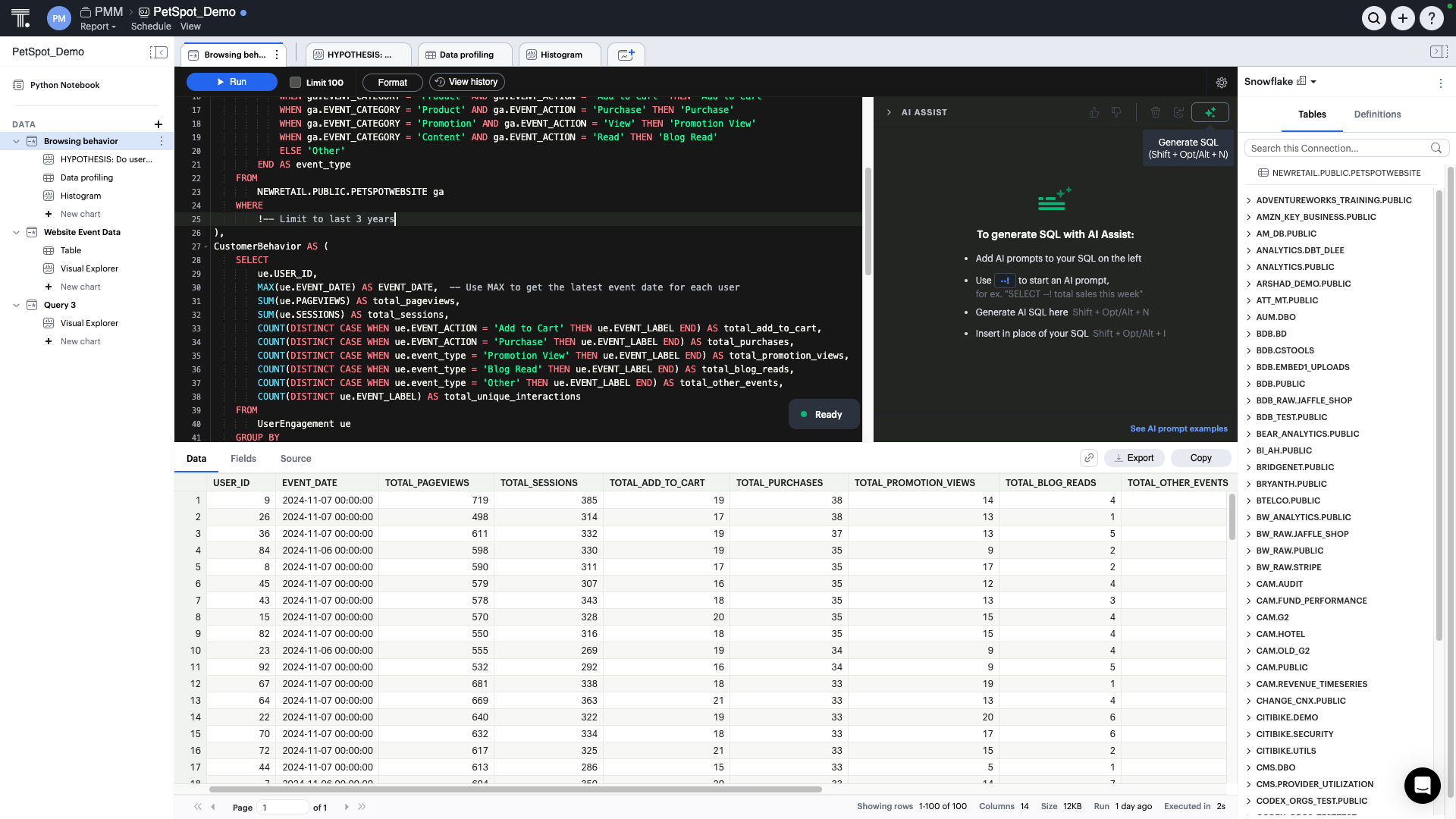
ThoughtSpot
ThoughtSpot is an Agentic Analytics Platform for enterprises, with drill-down analysis ability to get to a further level of detail by going deeper into the hierarchy. Users ask data questions using natural language and get answers with AI through this platform. ThoughtSpot users have scored the feature 8 in their TrustRadius reviews.
“ThoughtSpot allows for quick and easy customization of the required information. Some superusers provide basic dashboards using complaints datasets, and then the team can customize what to display (e.g., complaints belonging to a specific customer, country, year…) and how (type of graph, grouping…).”
Read this Verified User’s full review here.
Choosing the Top Features For Business Intelligence Software
Core features of a Business Intelligence software include a user-friendly interface that simplifies report production, powerful data integration, along with AI-powered analytics. This helps businesses to transform complex data into actionable insights for better decision-making. In addition to the features outlined above, other key features of BI software include data integration, data warehousing, real-time analytics, interactive dashboards, data visualization, customisable reports, and easy accessibility to different devices. A business must look into a Business Intelligence software that has the basic features required for the business, is cost-effective, insightful, and meets business goals.
To continue your research, explore the Business Intelligence software on TrustRadius. You can compare products, read verified reviews, and see which solutions best fit your needs. You may also find value in related categories and resources, including: