Top Features for Collaboration Software
Collaboration software enhances teamwork by offering a unified platform where employees can seamlessly share knowledge, data, and documents. By enabling cloud-based interaction from any location, it can foster innovation, accelerate problem-solving, and drive business growth and profitability. Core capabilities include integrated communication (chat or video), project tracking, file management, and visual whiteboards, bringing together diverse functions to streamline workflows and drive innovation. Effective collaboration software must possess the features necessary to successfully integrate data, people, and technology, thereby maximizing team productivity. Here, we bring you the top features for collaboration software offered by the top players in the market. These features are reviewed and scored by users, giving an idea of how these brands work for different workspaces.
Top Collaboration Software Features
Chat
Collaboration platforms integrate instant messaging with project tools, offering channels, threads, file sharing, and video calls (e.g., Slack, Microsoft Teams, Zoom, etc). These features streamline communication, organize discussions, enable quick decisions, and extend beyond text to provide virtual face-to-face interaction for greater productivity.
Benefits:
- Create structured spaces for teams, projects, or topics to ensure clarity and alignment.
- Keep discussions organized by responding directly within message threads.
- Enable secure, one-to-one communication for confidential or specific exchanges.
Slack
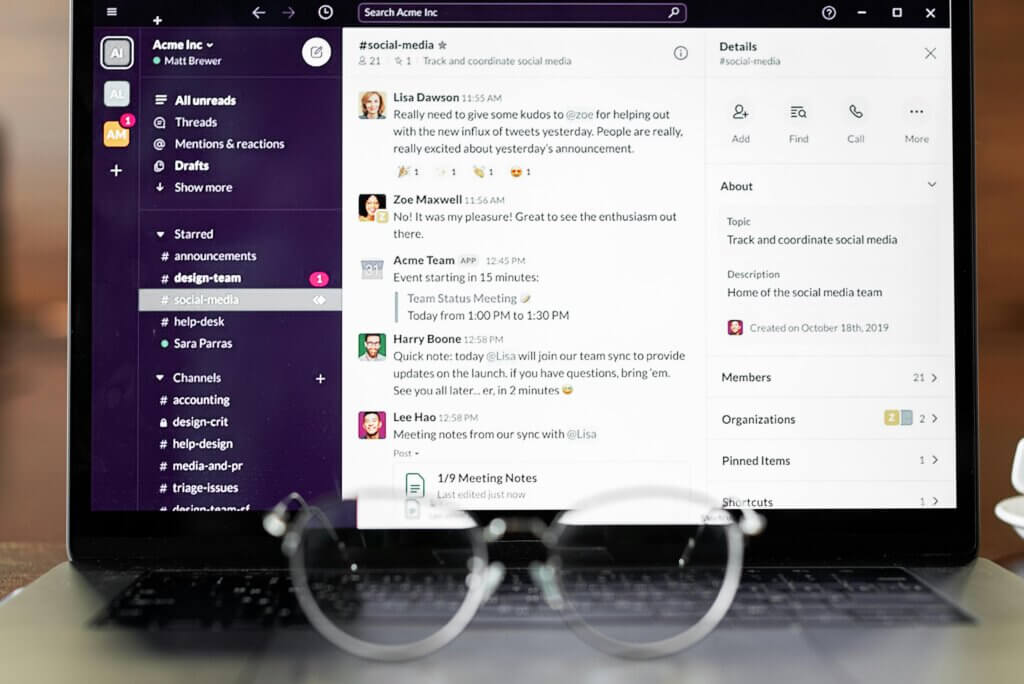
Slack brings people, apps, and partners together in one flexible workspace. It connects teams, their tools, and their data to boost productivity and unlock opportunities. It also channels organizing projects and initiatives, keeping the right people and information aligned. Slack offers flexibility with instant audio chats, with video and screen sharing just a click away. Slack Connect allows seamless work with external partners and customers, accelerating projects and strengthening relationships. Slack users have scored the feature a 9.6 in TrustRadius review feedback based on their user experience.
“Slack is mainly used by our coding team and also the DevOps side of the house. We recently developed VoIP software as well as a program called Tadpole to help with the process for setting up a printer. It helps our Team share links to Git Repos and also provides a shareable history so that people can track changes to the software we are producing.”
Read Jeremey’s full review here.
Integrates with Outlook
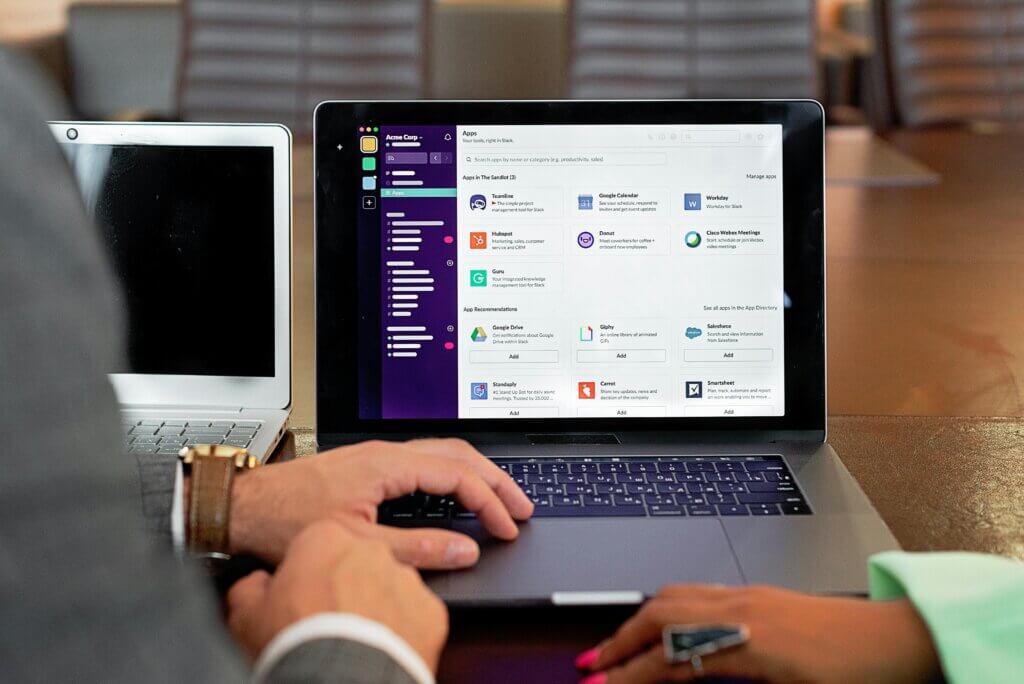
Collaboration software integrates seamlessly with Outlook to unify communication, task management, and workflow efficiency. Leading platforms such as Microsoft Teams, Zoom, Slack, Asana, Jira, and Monday.com enable users to manage meetings, projects, files, and chats directly from their inbox through add-ins or native connections, minimizing app switching and boosting productivity.
Benefits:
- Install tools directly into Outlook to access features such as scheduling Zoom meetings or managing other tasks.
- Platforms leverage Microsoft’s APIs for deep connections, enabling actions like exporting Teams chats or syncing calendars.
- Services like Zapier and Make link Outlook with thousands of apps, automating workflows.
Microsoft Teams
Microsoft Teams serves as both a video conferencing solution and a collaboration hub. Designed for MS Office users, it supports conference calls, file sharing through SharePoint, and group chat functionality, creating a centralized environment for teamwork and communication. Microsoft Teams users have scored the feature a 9.1 in TrustRadius review feedback based on their user experience.
“We have many employees all over the world, and we need to be able to collaborate and use the tools to brainstorm and show working sessions as well, and distribute information and organize it.”
Read the full review here.
Integrates with GoToMeeting
GoToMeeting offers deep integrations with widely used collaboration tools, such as Slack and Microsoft Teams. These integrations allow users to schedule meetings, join sessions, and manage activities directly within their existing platforms, reducing the need to switch between applications. Additional capabilities include syncing calendars, logging calls, and distributing meeting summaries. For organizations requiring tailored workflows, GoToMeeting’s API provides flexibility to build custom solutions that extend collaboration and automation across teams.
Benefits:
- Launch meetings from the desired apps.
- Automatically logs into meeting attendance and details in CRMs.
- Effortless scheduling is achieved by syncing with the user’s calendars to avoid conflicts.
Webex App
The Webex App integrates multiple collaboration capabilities—Webex Calling, Meetings, Messaging, Polling, Whiteboarding, and Video Messaging—into one comprehensive application. This unified environment enhances teamwork by reducing the need for separate tools, while providing secure, intelligent features that support communication and productivity across every workload. With Webex, users can connect, share, and collaborate seamlessly from any location. Webex App users have scored the feature an 8.6 in TrustRadius review feedback based on their user experience.
“Webex App is THE social framework my company adopted to manage meetings, calls, and chats in a timely and trustworthy manner. Its multiplatform feature makes it available on several devices, allowing mobile utilization. Sometimes it needs too much bandwidth, but temporarily disabling the video broadcast helps fix the issue.”
Read Andrea’s full review here.
Device sync
Device synchronization in collaboration software ensures that all team members view the most current and consistent data across their devices, including laptops, smartphones, and tablets. By automatically updating files, settings, and project statuses via cloud services or direct connections, sync capabilities enable seamless collaboration, minimize errors, and improve efficiency in distributed work environments.
Benefits:
- Seamless workflow with no manual transfers required.
- Ensures real-time updates to work with the latest version, essential for group projects.
- Eliminates confusion and miscommunication by keeping data consistent across devices.
Notion
Notion consolidates everyday work tools into a single platform, supporting use cases such as product roadmaps, company wikis, and meeting notes. Everything is centralized and customizable, making it a flexible workspace for teams or entire organizations. Its goal is to empower users to shape tools around their unique workflows. Notion users have scored the feature a 9.2 in TrustRadius review feedback based on their user experience.
“I’ve used Notion on and off for years to keep my marketing business organized, and help clients understand project scope, progress, and deliverables. I also use it to organize contractors and keep people aligned with goals. Notion’s customizability is a big help, since each of my projects is bespoke to the client’s needs.”
Read April’s full review here.
Discussions
Collaboration software makes team discussions the hub of productivity. Collaboration platforms provide threaded chats, channels, video meetings, and document comments to foster dynamic communication. By organizing conversations around projects or departments, they reduce fragmentation, ensure seamless file and idea sharing, and support both synchronous and asynchronous teamwork, critical for modern organizations.
Benefits:
- Transparent discussions and task tracking simplify progress monitoring.
- Boosts productivity with centralized information, reduces time spent searching for files or context.
- Fosters collaboration by encouraging brainstorming with inclusive idea sharing from all team members.
Discord
Discord is a collaboration app that connects users through voice, video, and text chat within dedicated servers. Originally popular in the gaming community, it enables players, developers, and fans to build communities, share updates, and collaborate in real time. Discord users have scored the feature an 8.9 in TrustRadius review feedback based on their user experience.
“We use Discord as our main internal communication voice and text tools. We have channels for every area of the company, like CS, development, technical support, sales, marketing, designers, and also, channels specifically for different areas together, like CS and Sales, or dev and support. The business problems that we discuss are about the software that we commercialize.”
Read Vinicius’ full review here.
Integrates with Gmail and Google Chat
By integrating with Gmail and Google Chat, collaboration platforms extend the power of Google Workspace apps such as Drive, Calendar, Meet, Docs, and Tasks. Third-party solutions, like Jira and GitHub, connect through APIs and webhooks, allowing teams to share files, schedule meetings, manage tasks, and collaborate on whiteboards without leaving their inbox or chat window. This streamlines workflows, minimizes context switching, and enhances overall productivity.
Benefits:
- Google offers APIs for custom apps and webhooks for direct service connections.
- Offers actionable messages that turn chats into tasks or calendar events.
- Enhanced file sharing options like preview, edit, and manage files from Drive directly in spaces.
Confluence
Confluence empowers teams to create and organize content ranging from meeting notes and project plans to product requirements. With support for multimedia and dynamic content, work becomes more engaging. Users can share PDFs, Office documents, and images, while features like automatic versioning, instant previews, full-text search, and pinned comments simplify file management. Confluence users have scored the feature a 9.3 in TrustRadius review feedback based on their user experience.
“We use Atlassian Confluence as our central knowledge management and collaboration platform, supporting various cross-cultural teams of our company. It serves as a single source of important documentation, project management, and cross-functional collaboration. It also helps us to maintain a historical record of decisions, changes, and processes. It also enables all our real-time collaboration with inline comments, notifications, and mentions.”
Read Amit’s full review here.
Access control
Access control is a critical component of collaboration software, determining who can see, edit, or share information. It combines authentication (passwords, multi-factor authentication) with authorization to assign specific permissions. These measures are essential for maintaining data security, meeting regulatory requirements, and ensuring that only authorized individuals access sensitive resources.
Benefits:
- Prevents unauthorized access, data leaks, and internal threats.
- Ensures teams have the right access without unnecessary sharing.
- Provides auditing to track who accessed what and when.
Mattermost
Mattermost is an open-core collaboration platform built to accelerate mission-critical work. Designed for defense, intelligence, security, and critical infrastructure environments, it delivers secure, adaptable, and resilient teamwork. Features include real-time communication, file and code snippet sharing, in-line syntax highlighting, and workflow automation tailored for technical teams. Mattermost users have scored the feature a 9.9 in TrustRadius review feedback based on their user experience.

“Our operation had employees and freelancing contractors, and we used Mattermost to facilitate communication while restricting the freelancers’ access to some specific information and groups. I didn’t have access to the product on an admin level, but it was clear to everyone that it came as an easier option to set up.”
Read Atlas’ full review here.
Task Management
Collaboration software transforms task management into a unified experience. With visual boards, deadlines, file sharing, and reporting, teams gain transparency and efficiency across projects. Collaboration platforms empower organizations to move beyond fragmented emails and spreadsheets, supporting diverse functions from marketing to IT with centralized, real-time collaboration.
Benefits:
- All project-related data is centralized, ensuring consistency and accessibility.
- Clear visibility into priorities and responsibilities reduces confusion and miscommunication.
- Transparent tracking of progress and ownership makes it easier for teams to stay aligned and accountable.
monday.com
Monday.com is an open, customizable platform that enables users to create tailored solutions for managing all aspects of their work. Its intuitive visual interface is built around modular building blocks, including apps, integrations, and automation, that allow teams to design workflows that match their unique processes. By combining flexibility with ease of use, monday.com helps organizations streamline collaboration, project management, and operations across departments. Monday.com users have scored the feature a 9.2 in TrustRadius review feedback based on their user experience.
“I use monday.com to manage projects, drive process efficiency, decrease inbox clutter, track productivity, and allow for transparency across the organization. One of the biggest problems it addresses is transparency. By creating project boards that are shared across departments and the org. managers can easily see what it is teams are working on. Updates are at your fingertips. No wait time to get answers and no emails cluttering your inbox.”
Read Gina’s full review here.
Choosing the Top Features for Collaboration Software
Collaboration software serves as a centralized hub for communication, project management, and file sharing. Core features enable real-time interaction, maintain data integrity, and provide flexibility to support modern remote and hybrid work environments. Choose the right tool for your workspace that includes the top features for collaboration software to keep workflows maintained seamlessly.
To continue your research, explore the Collaboration software on TrustRadius. You can compare products, read verified reviews, and find the solutions that best fit your needs. You may also find value in related categories and resources, including:
- Direct Secure Messaging Systems
- Data Collaboration Tools
- Merger and Acquisition Software
- Wireframing Tools
- Visual Collaboration Software
- Creative Collaboration Software
- Web and Video Conferencing Software
- Interactive Whiteboard Software
- Org Chart Software