How customer voice
drives business
TrustRadius Weekly
Discover how authentic user reviews power B2B tech marketing



The Quickbooks family of accounting products from Intuit has maintained a vastly high portion of the small business market share for over a decade. The company offers multiple versions of its product to serve different user populations. Quickbooks for Mac, as the name suggests, is a desktop tool for Mac users, Quickbooks Pro is a desktop accounting tool for small businesses, and Quickbooks Online is a subscription-based cloud accounting tool. However, Quickbooks Online has been Intuit’s clear focus for a number of years, along with mobile. Much of the recent development effort has been on bringing the online version up to feature parity with the desktop products. As of writing, Online now offers nearly all the features of the desktop software and several additional ones. So what will the future look like? To many in the Quickbooks community, the inevitability that the desktop products will eventually be discontinued in favor of online products is obvious. This is a trend that has been discussed far beyond Intuit products. QuickBook’s own website heavily emphasizes the online version of the product. The desktop version is rarely mentioned. . TrustRadius has collected dozens of user reviews of all three versions, so you can easily […]

Calendly is an appointment scheduling software with a pricing model that fits nearly any use case. These include a feature-rich free tier, along with paid tiers for organizations with more expansive needs. Calendly is the #1 Top-Rated award winner in its software category on TrustRadius. Understandings its pricing and features will help you determine which plan is right for you. With this, you can take advantage of this fantastic software at the right price. The pricing levels covered in this piece are Calendly Basic Calendly Premium Calendly Pro Pricing Tier Basic Premium Pro Price Free $8/User/Mo. $12/User/Mo. Calendar Connections/User 1 Calendar/ User 2 Calendar/ User 6 Calendar/ User Event Types 1 Event Type Unlimited Event Type Unlimited Event Type Notifications Email Customizable Email Customizable Email, SMS Group Events No Yes Yes Integrations Basic Basic + Zapier Includes Advanced Integrations Best for: Small Teams who Repeatedly Schedule 1 Event Type,Individual Users Small-to-Mid-Sized Teams, Scheduling Multiple Meeting Types to Multiple People/Groups Teams Who Need Advanced Integration and Payment Acceptance, Who Book a Large Volume of Meetings What Is Calendly? As mentioned, Calendly is an appointment scheduling software, used primarily by small-to-mid-sized organizations. For an overview of what this software does, check out […]

The inclusion of video content can drive traffic, sales, and interest for almost any type of organization. Video can be self-produced or outsourced, posted to a third party, or directly on your website. No matter the method, following search engine optimization guidelines for video will help you improve your rankings and achieve better results. Gone are the days of keyword stuffing, SEO for video relies on accessibility, audience targeting, and content optimization. Below is a guide on how to make video content work for you. This piece includes General Video SEO tips Self-Hosting versus Youtube Self-Hosting Pros and Cons Youtube Hosting Pros and Cons Self-Hosting Specific SEO Youtube Specific SEO How to Optimize Video for SEO Many methods of SEO for video content can be implemented easily and without a substantial increase in production costs. Abiding by the following best practices will help you use video in an effective, more reliable way for your organization. The following advice will change in implementation somewhat, depending on if you are producing the video yourself, or including outside content. To start, we will focus on broader tips that apply to all video content, then get more specific to different use-cases. Target the Right […]
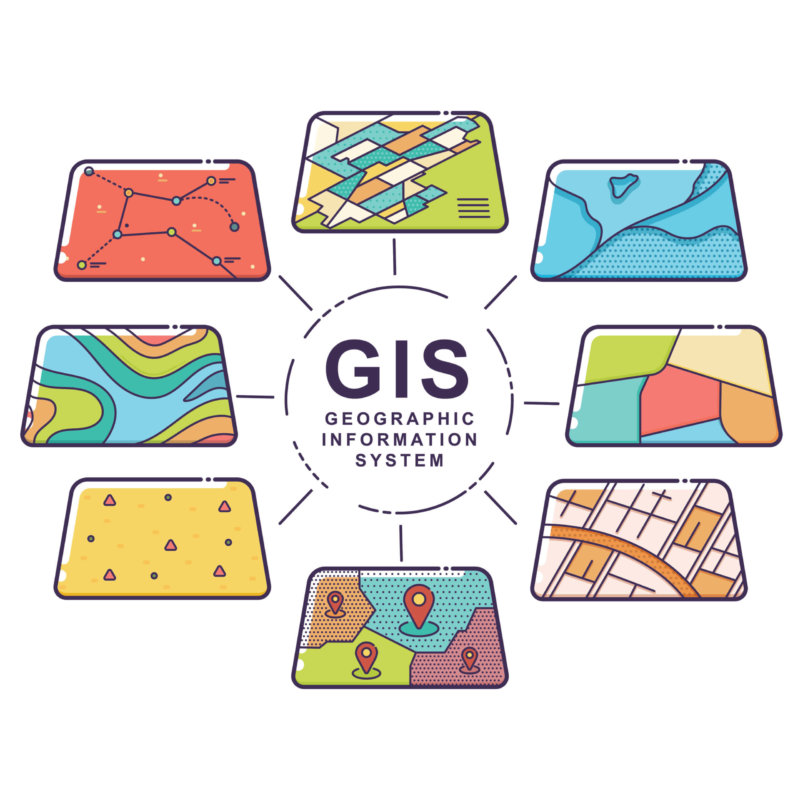
GIS, or Geographical Information System, the software offers advanced mapping features in open-source or commercial programs. There are plenty of free GIS software options available to fit the specific needs of your business. This post will help you determine which free GIS software best fits your use. The four GIS software products covered in this post are: QGIS gvSIG OpenJump GRASS GIS GIS Software Programming Language Supported OS Ideal for Basic Map Production? Biggest Pro Biggest Con QGIS Python Windows, Linux, Mac No 3D imagery, plugins Crashes, learning curve gvSIG Java Windows, Linux, Mac No CAD tools, mobile apps Mobile app is only available for Android devices OpenJUMP Java Windows, Linux, Unix, Mac Yes User-friendly Only suited for basic cartography GRASS GIS Python Windows, Linux, Mac No Geoprocessing tools One map projection per folder location GIS Software Data Capabilities GIS software uses geographical information to create maps or visualizations. This software transforms vector and raster data into realistic images. Vector data, which relates to the relational database, deal with geometries and plots. These data points are used to create distinguishable landmarks. Raster data, which relates to the spatial database, improve the image quality of maps or visualizations. Open-Source Free GIS […]

Voice search is exploding in popularity, and this trend presents an opportunity for those with a calculated online presence. Understanding how search engines generate their rankings will help you get your content higher on SERPs and drive business results. From mobile devices using Siri to Amazon’s Alexa, more people search hands-free than ever before. The voice search optimization tips we will cover in this guide are Understanding your audience Keep content readable Make information accessible Use voice search specific keywords Take advantage of Structured Data Markup Helper Voice Search Has Exploded in Popularity The convenience of voice search is obvious, and this hands-free inquiry method has taken off in recent years. A third of the US population uses voice search features. This is projected to increase by nearly 10% in the next year. Online marketing groups are publishing headlines about the “voice search revolution”. E-commerce groups have seen this coming for a while, and the technology and environmental trends are reaching a critical mass in 2021. With this increase in popularity comes the new potential for SEO strategy. Optimizing content for voice search has key similarities and differences to more traditional input methods. By following the advice below, you can position […]

CRM and CMS may sound pretty similar, but they’re two distinct types of software that do completely different things. Successful businesses, however, often use both. But the first step is learning the differences between CRM and CMS software. This post will be your guide to navigating the world of CRM and CMS software. By the end, you’ll feel confident making your next software purchase—whether it be a CRM, CMS, or both! Your Guide For Choosing a CRM or CMS Before diving into what to consider when investing in a new CRM or CMS platform, here’s a quick primer on each: CRM Systems: Large contact database that helps businesses store and track contact and account records. Users can add new business leads into the database and augment existing contact records with new information. Customer-facing teams like sales, marketing, and customer service/support rely on this type of software. CMS Software: Create and update content published on websites. The CMS is responsible for storing and keeping track of all the content published on the website. Many businesses use a CMS platform to host their website or blog. This is especially common in B2C industries like eCommerce. Though many B2B businesses use CMS platforms […]

Email marketing tools are built for sales and marketing teams to send out email campaigns and track their performance. Constant Contact is a popular, strong choice for small-to-mid-sized businesses. Good software in this category has a balance of reasonable pricing and features to help your specific use-case. Constant contact’s pricing varies by the features you need, and the amount you will use it. It is also crucial to compare Constant Contact to alternative options. Mailchimp is a popular and capable email marketing alternative. By comparing the two, along with some other options, you will be empowered to make the best purchase decision for your business. What is Constant Contact? Constant Contact is an email marketing tool built around offering affordable customer contact options. Users praise its strong user interface and fantastic feature list. On Google, you’ll find that Constant Contact is frequently compared to Mailchimp, and for good reason. These tools are great for sending out marketing information, newsletters, and direct sales pieces. They are both designed to allow sales and marketing teams to continuously nurture leads and customers.. The two offer similar functionality, at intersecting price points. For a full overview of what email marketing software is, check out […]
Asana is a tool designed to increase productivity and organization. Understanding the features of each pricing tier will help you make a decision for your use-case. Asana’s pricing plan is made to be suitable for different use-cases, and below you will find details about each. The 4 Asana price plans are: Basic Premium Business Enterprise Basic Premium Business Enterprise Cost Free $10.99/user/month $24.99/user/month Price on Request User Limit 15 Users Unlimited Unlimited Unlimited Best for Small Businesses Mid-Sized Businesses with More Teams Mid-to-Larger Teams Needing More Customization Users with Advanced Security Needs Notable Features Kanban Boards,Calendar ViewUnlimited Projects Timeline (Gantt) View,Dashboards,Private Teams and Projects Custom Rules Builder, Portfolios, Salesforce Integration SAML and SCIM,Data Export and Deletion,Custom Branding What is Asana? Asana is a project management software used to organize, accelerate, and structure your workflow. The software is a top-rated award winner in its category. Nearly every industry has multiple projects or clients at once, and these tools are purpose-built to help keep track of them. There are various methods of doing so, and Asana offers many of them. Some common methods include Kanban boards, Gantt charts, and calendar views. A good project management software has a few important features. […]

E-Signature tools allow companies to make the contract and negotiations process faster and more accessible. DocuSign has become a common choice for many, yet it is not the only choice. Different electronic signature platforms will be suitable for different use-cases. This piece will explore Docusign, as well as: Adobe eSign Pandadoc HelloSign SignNow The Pros & Cons of DocuSign E-signature software allow users to take advantage of digital signatures. For a quick lesson on why these are so useful check out the video below DocuSign is an E-signature tool with a massive chunk of the market share in its category. According to DocuSign reviews on TrustRadius, some of the product’s benefits include: Reduced cycle time for contracts, particularly when multiple parties are involved Mobile functionality for signing documents on the go Multi-language support Dropbox integration (and other third-party integrations) Easy to use UI Support for multiple document formats and technologies Authentication, auditing, encryption and other security features On the negative side, no software will be the perfect solution for everyone. According to DocuSign users, the platform has a few potential drawbacks as well: The API leaves room for improvement Implementation in a live environment is different than in the sandbox […]

Free human resource software is out there but is often buried in paid advertisements and endorsements. Most no-cost HRM have scale and feature limitations. Since every use-case is different, it is possible to work within these constraints and find an option that works for you. Many places outline “free” versions that are either simply not free or are trial versions of paid software. Every tool on this list includes a usable, entirely free option. Once the limitations are outlined, you can decide if the no-cost route is right for you in human resource management software. The software covered in this piece are: Zoho HRM Homebase Freshteam Sentrifugo Are There Free HRM Options Available? In this category of software, there are very few fully functional free services. Vendor marketing can make it challenging to see and understand pricing on the front end. This dynamic can leave many buyers wondering, “is X really free?”. A look at our category page will show dozens of products. Almost none of these have free options. This is a tool that will save most companies significant time. However, saving time usually comes at a cost. Choosing free HRM software will boil down to working within the […]

Businesses run on software, and software runs on hardware. Everyone is familiar with software, but hardware is foreign to most users. Despite this, the interplay between hardware and software is essential to an organization’s operations. The primary difference between the two is that hardware is the physical components of a computer. In contrast, software is the programs and applications that run on your devices. Most devices use a mixture of hardware and software. For example, your computer’s monitor and mouse are hardware, and your internet browser is software. For a quick video explanation, check out the link below: What is Hardware, and What can it do? Every physical component of a device is hardware. You can reach out and touch hardware, you cannot touch software. Hardware includes all of the physical devices in a computer, like a motherboard, RAM, or processors. For devices like computers, hardware has a heavy influence on performance. Higher performance hardware tends to cost more and requires more resources. Powerful video cards or a CPU, for example, may require a lot of electricity and more cooling than weaker internal components. Most computer components perform better at cooler temperatures Hardware is limited in what it can do […]
Zapier is an incredibly powerful tool, and you can get massive productivity benefits for a low price. In purchasing Zapier, keep in mind what you will be using it for. This will help you take advantage of this software in the most cost-effective way possible. Zapier Pricing Cheat Sheet Features: Free Starter Professional Team Company Zaps 5 20 Unlimited Unlimited Unlimited Tasks/mo 100 750 (Base) 2,000 (Base) 50,000 (Base) 100,000 (Base) Update Time 15 Mins 15 Mins 2 Mins 1 Min 1 Min Premium Apps 3 Unlimited Unlimited Unlimited Custom Logic Unlimited Users Advanced Security Features If you already know about Zapier click here to skip to detailed pricing information. What is Zapier? Zapier is a productivity tool at heart, designed to make your workflow easier. It is an integration platform as a service (IPaaS) software. Zapier works by automating repetitive or simplistic tasks. These automations are called “Zaps”. The automation follows a simple, logic-based structure, abbreviated IFTTT, or “if this, then that.” These Zaps can take a huge number of different forms. You could create a Zap that shares Google Form responses in a Slack channel. If you had an incomplete task in ToDoist, a Zap could apply that […]

Inside and outside teams help a company achieve its sales targets in different ways. Each is suited to a different environment. Understanding the difference between the two is crucial to understanding how to get the most out of each. It is also critical to know the tools available to help those reps succeed. Overall, both inside and outside sales teams are an effective means to achieving your goals. What is Inside and Outside Sales? The difference between inside and outsides sales largely boils down to location and method. Inside sales teams work at their offices, selling via remote means. This can be through email, phone, video conferencing, or any other form of online communication. Outside sales teams travel directly to prospective customers and clients. This type of team is also called field sales. They do their work in person. These two sales methods are effective at achieving different goals. They also have key differences. When deciding which type of sales team to build out, you may find one more suitable than the other. A combination may be appropriate. For a more in-depth, visual overview of the definition of the two, consider watching the video below. How Do I Run Inside […]

Database software varies as much as the information you will use the tool to store and organize. There are plenty of free database options available for those who do not want to pay. They fall into two categories: Relational and Non-Relational Databases. In helping you make the right choice for your use-case, we will explore the differences between the two. If you already know the difference, click here to skip to our recommendations for each The software covered in this piece are: Microsoft SQL MySQL Postgres SQL MongoDB Redis Neo4J What is the Difference Between Relational and Non-Relational Databases? trScore Top Rated Award Open Source Biggest Pro Biggest Con Microsoft SQL 8.9/10 no Trusted, Reliable, Secure Brand Free Version of a Paid Software MySQL 8.5/10 Yes 30-Years of Community Development Some Issues With Larger Datasets Postgres SQL 8.8/10 Yes Customization Performance Lags on Large Datasets MongoDB 8.4/10 Yes Flexible, Visual Results Slightly Slower at Large Datasets Redis 8.8/10 Yes Fast Key-Value Not For Everyone Neo4j 8.6/10 No Yes Very Visual Code-Edits Must Be Published Per Licensing Relational Database Software: This type of data storage solution holds information in tables. These tables have columns and rows like the other types […]

In exploring the best contract management software, it is important to remember there will always be limits. Despite this, you won’t be able to get fantastic software to fit your use-case. Different limitations may not be a problem for you based on your industry and needs. In this piece, we will explore 3 contract management solutions from different vendors. This will highlight what is and is not included in their free versions. All of this is designed to help you make the right choice at the ideal price point: Free. The software we will cover in this piece are: PandaDoc Concord Agiloft In more advanced software, the features become broader. Automation, advanced database searching, and visual workflow manipulation are some of these premium tools Only one of these offers advanced features like automation, graphical workflow, and detailed database searches in its free version. The other two providers do offer similar features, but you’ll have to upgrade to a paid version to access the capabilities. Notably, all three are praised for their strong customer service. trScore User Limit Electronic Signatures Payment Acceptance Advanced Features Top Rated Winner PandaDoc 8.4/10 Unlimited Yes Yes In Paid Tiers Concord 9.3/10 Unlimited Yes No In […]

Remote work is a long-lasting change from the COVID-19 pandemic. More than 10% of the B2B community we surveyed for the 2021 B2B Buying Disconnect said that they would prefer to never return to the office. Recent studies have identified remote work as “an overwhelming success” in terms of productivity and positivity towards remote work. Fortunately, there are 7 core tips and best practices that will help manage any remote team. In this article, we’ll be discussing how to: This article will provide guidance for managers who are either entirely new to the role or inexperienced managing remote employees. It can also help managers looking to improve their existing practices. The guide includes some guiding principles behind successful remote teams and management. It also highlights common challenges to be aware of and best practices that can improve any distributed team, any time. Challenges in Managing Remote Teams “Know thy enemy” may be overused to the point of “buzzword” status, but it’s also not wrong. Understanding the challenges that your remote workers are experiencing, or are likely to experience, is crucial to effectively supporting and enabling them. Some of the most common challenges managers face are around motivating a remote team, […]
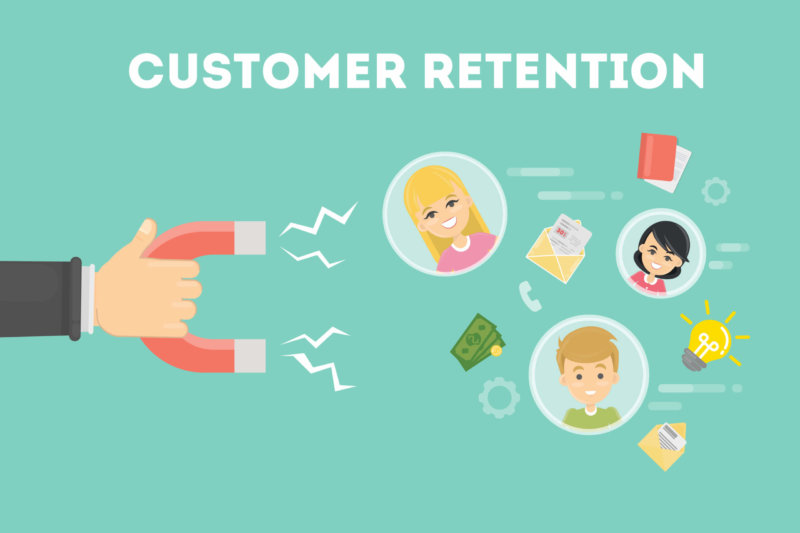
Enhancing customer retention in the B2B marketplace involves more than just building relationships. Vendors have the opportunity to earn more money by keeping loyal customers. A survey conducted by Invesp revealed that increasing customer retention rates by only 5% can boost profits by 25%-95%. Successful B2B companies recognize the importance of feedback and use it to re-evaluate the needs of their industry. Finding the right customer retention strategies involves working on a tight budget. This is especially true for B2B companies. According to this post by Earnest, B2B product companies only allocate about 8.6% of their total budget to marketing efforts. Customer marketing programs typically get only a fraction of that spend. It takes a village, with marketing, sales, and support teams working together to retain customers. Customer Retention Strategy Who Owns It Software Tools Medium Example Resolve customer support issues quickly Customer Support Help Desk Software Email, Live Chat, Forums Customer Service Ideas Worth Stealing Get customers to subscribe to your blog Marketing Content Management Software Website/Blog User-Generated Content to Inspire Your Campaign Send promotional offers via email to loyal customers Marketing Marketing Automation Software Email, Social BetterSpaces Campaign Track customer contacts, interactions, and contracts in one place Sales […]

In choosing the right presentation tool, the most important factor is use-case. You may need professional transitions and templates for business presentations. Perhaps you want creative graphics and sound support. Maybe you just require a simple collaborative slideshow. No matter your use-case, below you will find a tool to support you. The software we will cover in this piece are: Google Slides Powerpoint Online Prezi Canva Visme What is the Best Presentation Tool for Me? I Want a Simple, Collaborative Slideshow, Without Much Flair Google Slides: A part of the Google Drive software family, this is a fantastic tool for basic presentations. Slides is incredibly easy to use, operate, and share. Your presentation can be directly converted into a PDF or a PowerPoint file. The user interface is simple and clean. For those working with a time crunch, this will be a great choice. Making a clean-looking final product in Slides will take very little time. The transition effects are basic but functional. Notably, the templates allow you to save even more time while making the project look great. In addition to pre-built templates, you can also upload your own designs. Slides allows for real-time collaboration. This will allow you […]

The Women in Tech Report includes 50+ new statistics and quotes on gender equality in the workplace. Topics include barriers to promotion and unconscious bias.

*This article was updated on February 26th, 2021 based on new research by the TrustRadius Team Zendesk is a leader in customer service software. While a great product, such an important aspect of any business shouldn’t have only one choice. We have combined reviews and pricing information to create a list of the best Zendesk alternatives. Each of these will suit a different use case. By having this information, you will be able to make a more informed decision for company needs. Customer Service Software Like Zendesk, But Different 7.9/10 $49/mo. to $215/mo, Per Agent Popular, Trusted Platform Overwhelming for Some, Less Flexibility 9.5/10 $0/mo. to $39/mo Per User Simplified for Small-to-Mid Size, Great Live Chat Reviewers Wanted Whatsapp Integration, More Attractive UI 8.7/10 $15/mo. to $99/mo. Per Agent Great User Experience, Fewer Integrations, Pricier than Some Alternatives 8.7/10 FREE It’s Free! Ease of use Fewer Features than Zendesk, Tailored for IT 8.6/10 Pricing on Request Focus on Social Customer Service Reviewers Want More Analytics Tools 8.6/10 $0/mo, to $26.95/mo. Per User […]

Meet our experts

VP of Research
Megan Headley
Megan leads Research at TrustRadius, whose mission is to ensure TrustRadius delivers high quality, useful and, above all, trustworthy user feedback to help prospective software buyers make more informed decisions. Before joining TrustRadius, Megan was Director of Sales and Marketing at Stratfor, where she was in charge of growing the company’s B2C revenue stream through email marketing and other channels. She enjoys traveling, reading, and hiking.
136 posts by this author
VP of Audience and Reviews
Mark Barrera
Mark leads the Audience and Review Generation teams at TrustRadius and is a seasoned digital marketer on both the agency and brand side. Mark has a passion for educating others on digital marketing best practices and is the founding Chairman of the State of Search Conference (stateofsearch.org) and past President of the DFWSEM and Social Media Club of Dallas. He has led digital marketing efforts for sites such as PCMag, Mashable, BlackFriday.com and countless other websites over the last 15 years.
0 posts by this author